
With a deep background in manufacturing, electronics, and production management, our guest today is a leading voice on the practical challenges of modern industrial operations. We’re here to discuss a topic that often operates in the background but becomes painfully visible during an outage: secure remote access. In today’s plants, where operational technology networks are a complex mix of new and decades-old equipment, connecting outside experts quickly and safely is no longer an occasional task but a daily necessity. We’ll explore how the right approach to remote access can turn a moment of crisis into a routine fix, bridging the gap between legacy systems and modern security demands.
The text mentions a simple fix being delayed for hours by access problems like confusing VPN credentials. Thinking of a similar situation, could you share that story and break down the specific operational costs, like downtime or labor, that build up before a technician even connects?
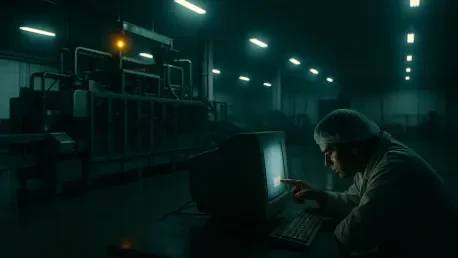
I’ve seen that exact scenario play out more times than I can count. I remember one incident at a food processing plant where a packaging line controller failed right after a firmware update. It was the middle of the night, the skeleton crew was on, and the machine just went silent. The real problem wasn’t the controller; it was getting the remote vendor connected. The on-call engineer who knew the current VPN password was sick, so our operators spent nearly two hours frantically searching shared drives for old instruction PDFs and even trying a password someone had taped to a monitor years ago. All that time, the line was down. That’s not just lost production; it’s the cost of three operators standing around, unable to do their job, plus the time of the vendor who was awake and ready to help but couldn’t. The final fix took him less than ten minutes, but the hidden cost was in those two hours of chaos and lost productivity that happened before he even saw the machine.
Plants often run modern controllers alongside equipment that’s decades old. In your experience, how does a solution like protocol isolation bridge this gap? Could you walk me through the step-by-step process for a vendor connecting to a fragile, legacy asset using this technology?
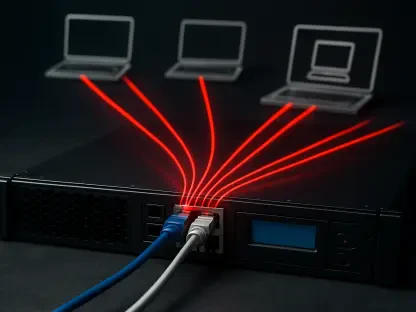
That mix of old and new is the reality on almost every plant floor, and it’s where protocol isolation really shines. It’s a brilliant way to protect those older, more fragile assets that were never designed for the internet. Imagine you have a twenty-year-old PLC that you can’t patch. For a vendor to connect, the process is completely different and much safer. First, the plant grants the vendor temporary access through a secure portal. The vendor logs in and connects to a gateway, not directly to the PLC. This gateway then creates a sort of interactive video stream of the PLC’s interface. The vendor sees the controls and can interact with them on their screen, but their laptop never makes a direct network connection to the plant floor. Every click and command they make is sent to the gateway, which then safely translates it into the old protocol the PLC understands. It’s like operating a machine through a reinforced window—you can control it perfectly, but you can’t open a door that could let something dangerous in.
We’ve moved from handwritten vendor logs to automated tools for regulatory compliance. Beyond just passing an audit, what practical, day-to-day value have you found in features like session recording? Can you share an example of how these detailed logs helped resolve a post-maintenance issue?
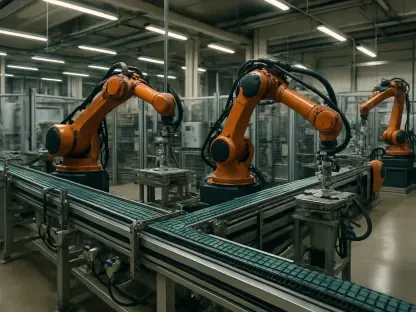
Passing an audit is the baseline, but the real value is in having a perfect memory of what happened. I recall a situation where an integrator performed a software update on a robotic arm. Everything seemed fine, but a few days later, a separate sorting machine downstream started having intermittent faults. The integrator insisted their work couldn’t have caused it, and without proof, it becomes a frustrating blame game. But we had a full session recording of their remote work. We were able to pull up the video and see every single command they entered and every setting they adjusted. It turned out they had changed a minor network timing parameter, thinking it was just a local setting, but it had a knock-on effect on the sorter. The recording let us pinpoint the exact change in minutes, without arguments or finger-pointing. It’s not about catching people; it’s about getting to the root cause quickly and accurately.
The article highlights that teams create shortcuts like shared credentials when a tool is confusing. Based on what you’ve seen, how can a clunky remote access workflow derail an urgent outage response? What specific, simple features make a tool fit seamlessly into an operator’s daily routine?
During an outage, the pressure is immense, and people will always take the path of least resistance. A clunky workflow is a security disaster waiting to happen. If getting a vendor access requires an operator to find a specific laptop, open a complex application, generate a temporary key, and then read it over a crackly phone line, they simply won’t do it. They’ll fall back on what they know: a shared password written on a sticky note or an unmonitored, always-on connection that was supposed to be decommissioned. The best tools are the ones that feel invisible. For an operator, that means they can grant access with a single click from their main console. For the vendor, it means getting an email link that just works, with a simple multi-factor authentication prompt on their phone. It has to be easier and faster than the insecure shortcut; otherwise, human nature will win every time.
Industrial sites have unique constraints like inconsistent bandwidth and minimal staff on nights, which can derail deployments. Can you describe a time a rollout struggled with these realities? What key steps would you recommend for a pilot program to ensure a new platform works reliably before expanding?
I saw a project struggle badly because it was planned in a corporate boardroom. They piloted a new remote access platform at their newest facility, during the day shift, on a line with a brand-new fiber network. It worked perfectly. But when they tried to roll it out to an older facility, it was a total failure. The connection kept dropping because the platform couldn’t handle the latency of the older, congested network. The night shift crew had never been trained on it, and there was no IT support available, so they just gave up and went back to their old, insecure methods. My advice for a pilot is to stress-test it in your worst-case scenario. Go to your oldest site, find the machine with the spottiest connection, and have the least-trained shift try to use it during a simulated outage. If it works reliably there, it will work anywhere. You have to prove it can handle the real-world grit of your environment, not just the idealized conditions of a demo.
What is your forecast for the evolution of secure remote access in OT environments?
I believe we’re moving past the era where remote access is treated as a separate, IT-centric problem. The future is integration. We’ll see these tools become a standard, embedded feature within the operational platforms that technicians and engineers already use every day, rather than a standalone application you have to launch. The user experience will become radically simpler out of sheer necessity, driven by the fact that the people granting access are often operators focused on a physical process, not IT specialists. As regulations like NIS2 and IEC 62443 become more rigorously enforced, granular, automated logging and session recording will become non-negotiable table stakes. Ultimately, remote access will be viewed less as a security gate and more as a core operational enabler, as fundamental to plant resilience as predictive maintenance or a good supply of spare parts.